Step 01 · Photo
Choose a photo that looks like you.
The generated portrait changes the outfit, the frame and the lighting, but it keeps the important signals from your source image: expression, hairstyle, visible accessories and shoulder silhouette.
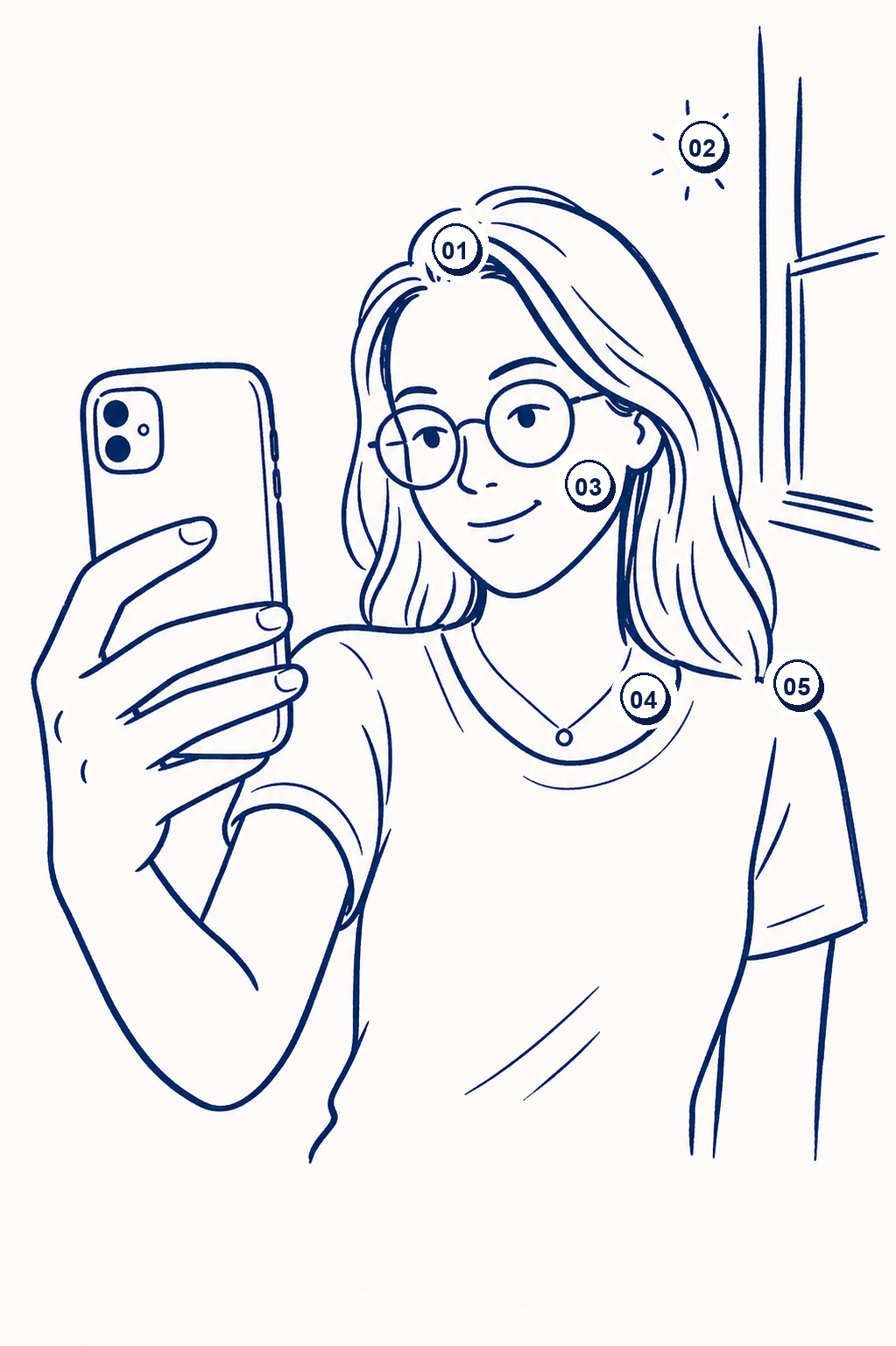
Things to check
- 01Tidy hair
- 02Soft light
- 03Natural expression
- 04Visible accessories
- 05Visible shoulders
Natural expression
The smile, mouth and gaze are preserved as much as possible. Pick the expression you want to keep in the final portrait.
Visible shoulders
Keep your face, neck and shoulders in the image. If the shoulders are cropped out, the AI will have to invent your build.
Tidy hair
Hair is an important part of your visual identity. Take a photo with clean, readable hair, close to what you want to show.
Embraced accessories
If you wear glasses, they will be preserved as much as possible. Same logic for beard, jewellery or visible accessories: keep only what you want to see in the final render.
Soft light
Stand facing a window or in steady light. Avoid backlight and hard shadows on the face.
Sharp photo
Avoid blurry images, over-compressed or taken from too far. A phone at arm's length is enough if the face is sharp.
Avoid
- Cropped or side-profile face
- Missing shoulders
- Dark or blurry photo
- Expression you don't want to keep
- Unwanted accessories