student-photo · 7 min
Student LinkedIn photo: look professional without looking older
LinkedIn, CV, application email: how students and graduates can choose a photo that reassures recruiters without pretending to be senior.
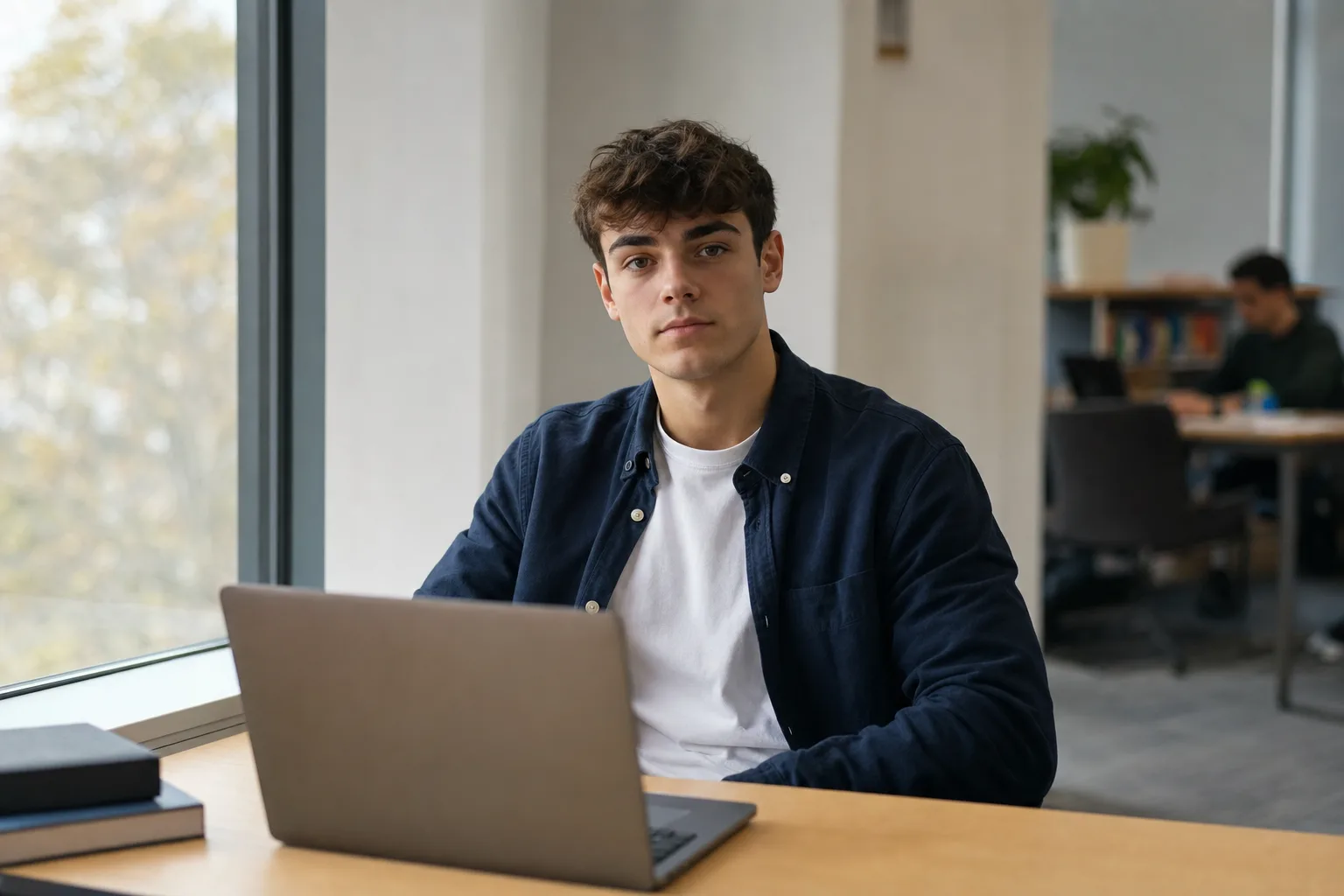
For an apprenticeship, internship or first job, the right photo does not try to make you look older. It shows that you are identifiable, current, serious and aligned with the role you want. The signal is not "senior executive". It is "reliable junior, ready to work, easy to imagine in a team".
That nuance matters. A photo that feels too school-like pushes you back into student mode. A photo that is too corporate can look like a costume. Between the two sits a much stronger register: credible early-career professional, without overacting.
Why is a student profile photo a special case?
A junior profile carries fewer proof points than a senior profile. You have fewer roles, fewer recommendations and fewer visible achievements. The photo therefore carries more of the first impression, like the main thumbnail in a layout: it does not tell the whole story, but it sets the mood before the recruiter reads the details.
LinkedIn describes the profile as a professional landing page and recommends adding a professional profile photo to build credibility. Europass makes a similar point for CVs: the document should communicate your skills and experience clearly, with a professional photograph if you choose to include one.
The student challenge is to avoid confusing professionalism with artificial ageing. You do not need an oversized blazer, a boardroom background or a closed expression. You need a clear, recent, simple image that helps a recruiter imagine you in an interview, in a team meeting or on a first assignment.
Which visual codes reassure a recruiter?
Three elements do most of the work: readable face, coherent outfit, calm setting.
Face readability comes before style. Your face should be sharp, large enough, alone in the image, with no obvious filter and no cropped party context. LinkedIn recommends a recent, recognisable, high-resolution photo where the face fills enough of the frame. This is not an abstract aesthetic rule: if the recruiter cannot easily recognise you, the photo fails.
The outfit should speak the language of the target role. For banking, audit or law, a shirt, blouse or simple jacket can help. For product, design, communications, tech or field sales, an open shirt, clean knit or sober overshirt may be more accurate than a stiff suit. The test is simple: would you wear this to an interview for this specific role?
The background should disappear without feeling empty. Plain wall, quiet library, study room, coworking space, clean desk: yes. Visible bedroom, unmade bed, too-personal poster, party background: no. The background should not tell your private life; it should give your face a credible stage.
Should you put a photo on a student CV?
In France, a CV photo is not mandatory. It is still common, especially when human contact, client representation or trust matter. But it should remain a choice, not a pressure: French labour law prohibits excluding someone from recruitment, an internship or workplace training for criteria such as age or physical appearance.
Use this practical rule. If the photo adds clarity, include it. If it creates a bias risk, if the sector does not expect it, or if the only available photo is weak, remove it from the CV and work on LinkedIn instead. A clean CV without a photo beats a CV with a blurry, old or too-personal image.
For a student, the strongest strategy is often dual: a sober CV, with or without a photo depending on the country and sector; LinkedIn with a recent, professional and coherent photo. Recruiters often search your name online. Your LinkedIn photo then becomes the stable version of your professional identity.
How do you avoid looking like you are dressed as an adult?
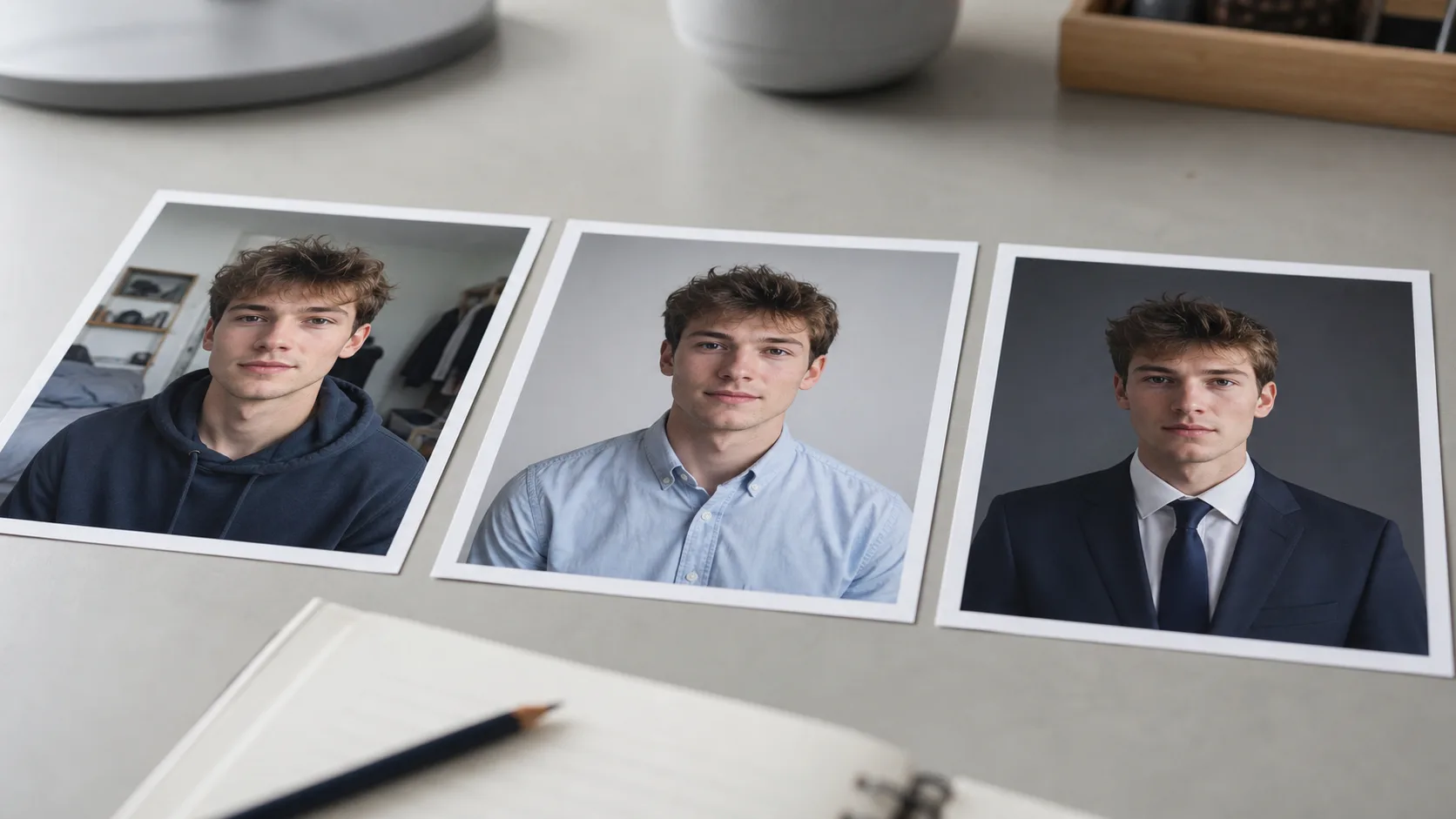
The common trap is copying an executive photo. Dark suit, tie, severe grey background, locked smile. On a junior profile, that code can ring false because it is not connected to your actual level of responsibility.
The right portrait keeps your age visible. It does not erase your face, harden your expression or try to add ten years. It stages reliability: upright posture, present gaze, clean light, chosen outfit. The difference is subtle, like a well-composed poster versus one that shouts too loudly.
Avoid the opposite extreme too: the "I am staying natural" argument that hides a lack of direction. Wrinkled hoodie, photo taken on the bed, mirror selfie, social-media filter, sunglasses, cropped group photo. That is not authenticity. It is visual noise.
The balance point: an outfit you really wear, but in its cleanest version; a place that could belong to your study or work life; an open expression, not a sales smile.
Which photo should you use for LinkedIn, CV, email and portfolio?
Do not create four visual identities. During a first search, it is better to build one base: same face, same level of dress, same energy. Then adapt the crop.
LinkedIn: head-and-shoulders or chest framing, face clear in a small thumbnail, calm background. This is the most important photo because it appears in searches, messages, comments and suggestions.
CV: if you include a photo, keep it quieter. Small format, neutral background, simple expression. It should not compete with your skills.
Application email: avoid adding a photo to the signature if your CV and LinkedIn are already clear. A heavy signature often looks amateur.
Portfolio or personal site: you can widen the frame and show more of your world, especially in design, communications, video, architecture or fashion. But keep your face recognisable.
AI photo or real photo: which one should you choose when starting out?
If you have good light, a recent smartphone and someone to take the picture, start with a real shot. It is often enough for a student profile. You can then use AI as an iteration tool: testing a more neutral background, a more professional outfit or a cleaner crop from a recent selfie.
The ethical limit is clear. An AI photo must still look like you. It should not change your perceived age, body, skin or identity to the point where the first interview feels mismatched. The CNIL warns that using generative AI services requires increased care with personal data; in practice, a selfie is personal data even when the exact legal category depends on the use.
With Selfie Pro, the goal is not to turn you into a senior consultant. It is to produce a professional, clean and coherent version of your image that helps you apply without confusing the real-life meeting.
FAQ
What should I wear for an apprenticeship photo?
Wear the cleanest version of something you could genuinely wear to an interview in your target sector. A simple shirt, plain knit, light jacket or overshirt often works better than a full suit.
Should a student LinkedIn photo smile?
Yes, if the smile feels natural. A light half-smile or relaxed open smile works better than a closed expression or a forced sales smile.
Can I use an AI photo for a first job?
Yes, if it still looks like you, feels current and does not make you appear older or more senior than you are. The simple test: a classmate or recruiter should recognise you easily.
Should I use the same photo on my CV and LinkedIn?
Not necessarily, but both should belong to the same visual register. If LinkedIn shows a sober junior profile and the CV uses a party photo, the whole application loses coherence.
Need a clearer photo for applications?
Create a credible junior photo for applications →Sources
Read next.
photo-developpeur-freelance
Freelance developer photo: look credible on GitHub and LinkedIn
GitHub, LinkedIn, portfolio: the right freelance developer photo should signal reliability, clarity, and collaboration, not a staged tech persona.
creative-freelance-photo
Creative freelance photo: signalling your style
AD, motion designer, graphic designer: your photo must show your style without falling into the creative cliché. Method and concrete examples by trade.
interior-designer
Interior designer photo: show the method, not just the decor
Portfolio, LinkedIn, client proposal: how interior architects and designers can choose a photo that builds trust without looking like a furniture ad.