google-business-profile · 11 min
Google Business artisan photo: boosting inbound calls
Plumber, electrician, hairdresser: your Google listing catches or loses customers in 2 seconds. The photo guide to turn your storefront into calls.
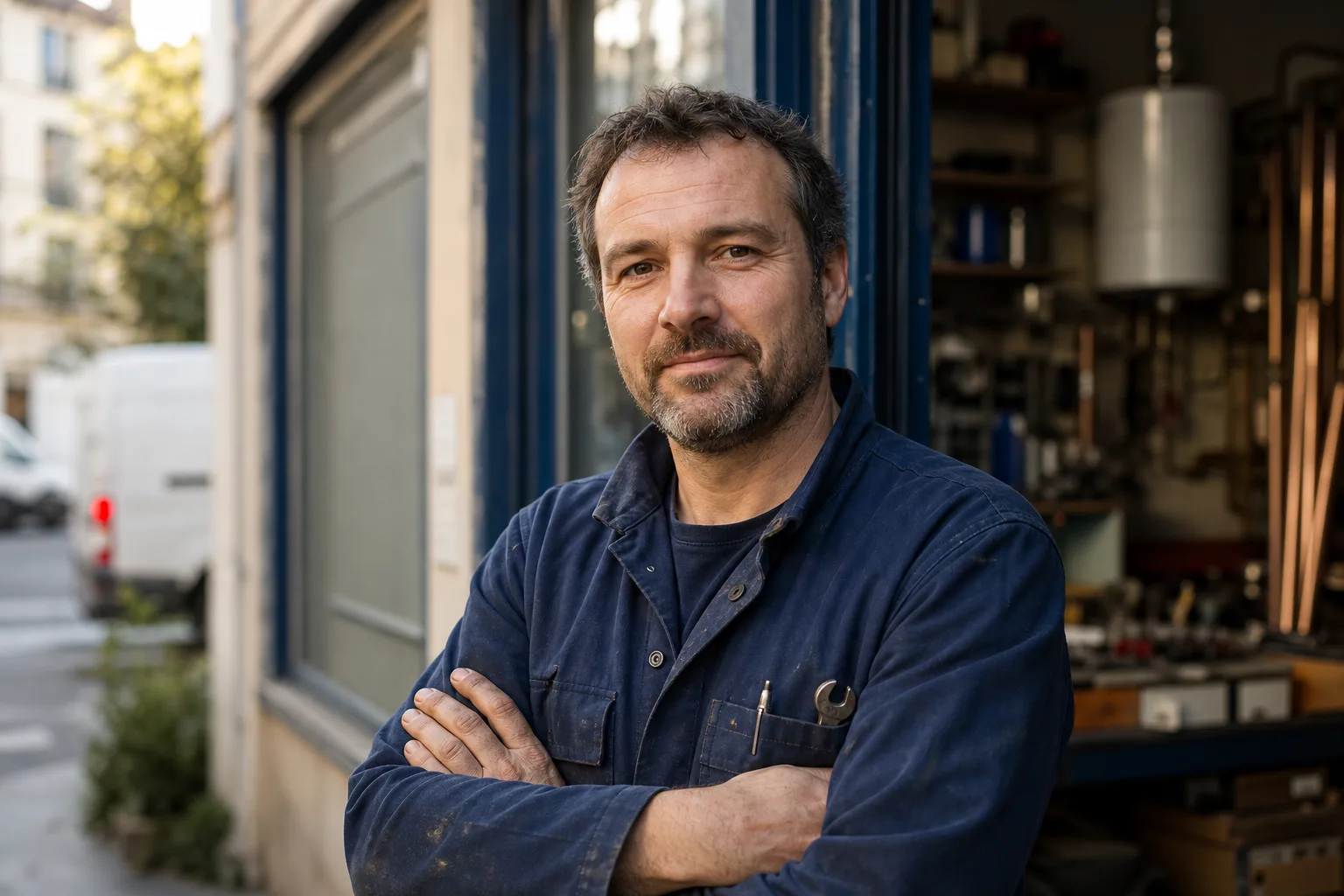
Your potential client doesn't read your Google listing. They look at it. In two seconds, they decide whether to call, scroll elsewhere, or pick the competitor above. Words come after, sometimes never. What decides is the image.
For an artisan, a Google Business Profile without proper photos costs calls each week. Not one image, several: yours, your premises, your team, your work. Each one sends a signal that can be measured.
Why photos matter so much on Google Business
Google has published official figures on the impact of photos on Business Profile listings. Listings with photos get 42% more direction requests and 35% more clicks to the website than listings without photos. It's documented in Google Business' official help and confirmed by Whitespark's analysis of local ranking factors.
These figures mean two things. First, Google itself uses photo completeness as a quality signal in its local algorithm. A well-illustrated listing ranks better in the local pack (the 3 results on the map). Second, the end user is sensitive to visuals: they grant trust faster to an artisan they "see".
The trap is believing a single profile photo is enough. On Google Business, your listing displays in several contexts: local pack in SERP, Google Maps, Knowledge panel on desktop, mobile app. Each context highlights a different type of photo. If you don't cover the five basic categories, you leave visual gaps that the competitor fills.
The 5 Google photo categories
Google Business Profile distinguishes several photo slots, and each plays a precise role in the client's decision. Ignoring them is letting Google randomly pick among your existing images, sometimes badly framed or dated.
Profile photo: the boss' face
It's the photo that appears next to your business name in certain views. For an independent artisan or a small business, the winning reflex is to use your portrait, not a logo. The human face reassures more than a pictogram.
The standard framing is square (1:1), centred on shoulders and face. Trade attire if it's clean and recognisable (plumber's uniform, hairdresser's smock), plain civilian attire otherwise. Neutral background, soft natural light, gaze to camera.
Cover photo: the decor
It's the large banner that appears at the top of the listing on mobile. Landscape 16:9 format. It's your "first square metre" of digital storefront.
For a business with premises (hairdresser, garage, caterer), the cover photo must show the front or interior, taken in daylight, without a vehicle parked in front of the door. For a mobile artisan (plumber, electrician without public premises), it's more subtle: photo of the branded van on intervention, or photo of a clean workshop. Avoid abstract photos, skies with overlaid logos, overly polished marketing visuals. Google and users prefer authentic.
Team photos: humanising service
If you work with journeymen, apprentices, a partner at reception, show them. A natural group photo (in front of the premises, in front of a finished site) signals several things: you're a real outfit, you're not alone on jobs, the human matters with you.
The trap here: team photos often fail because each person was photographed at a different moment, with different light, on a different background. The render on your listing looks like an amateur collage. When you do this series, take them the same day, in the same place, with the same framing. If you add a newcomer six months later, photograph them in the same conditions, or redo a complete series.
Interior photos: reassuring before the appointment
For a hairdresser, a physio, a tile showroom, the interior is a direct conversion argument. The client wants to know where they're going to set foot. A dozen well-lit interior photos (chairs, reception area, workshop, waiting room) lift the uncertainty.
For an artisan working at home, the inside of the intervention van, the production workshop or the organised stock plays the same role. We want to see it's kept, clean, professional.
Work photos: proving the craft
It's the most important category for visual trades: tiler, plumber (bathroom before/after), painter, landscape gardener, electrician (clean panels), garage (repaired bodywork). A dozen well-framed before/after photos are worth ten pages of text.
Simple rules: before and after photos taken under the same angle, decent light (no aggressive flash), no visible client logo, no photo where one can guess the site's address without client agreement.
A listing without work photos in a visual trade is a restaurant without dish photos.
Four examples by trade
The categories are the same for everyone, but what goes in changes radically by sector.
Plumber
Profile photo: portrait with branded polo, relaxed smile. Cover: clean intervention van in front of an ordinary site (not a castle). Team: you and the journeyman, the apprentice if you have one. Interior: storage workshop, organised shelves. Work: bathroom before/after, urgent fix (leak repaired), clean water-heater installation, visible copper soldering.
The plumber's trap: too many magazine-style glamour bathroom photos. The average customer wants a repair, not a magazine. Mix ordinary sites (standard kitchen, suburban bathroom) with one or two beautiful projects.
Hairdresser
Profile photo: portrait with scissors or comb visible, direct gaze. Cover: salon interior in activity, lights on. Team: photo of hairdressers in work attire, taken in front of the basins. Interior: reception area, chairs, light. Work: 8 to 12 client before/after (with consent), variety of cuts (men, women, children), one or two colourings.
Hairdresser specificity: the cover photo fails when taken outside opening hours, empty dark salon. Take it during an active slot, with one or two clients in progress (from the back, or blurred if no consent).
Garage owner
Profile photo: portrait in clean coveralls, garage in blurred background. Cover: garage front with readable sign, taken head-on in broad daylight. Team: mechanics in coveralls, group photo in front of a vehicle lift. Interior: tidy workshop (tools hung up, clean floor), not a workshop in chaos. Work: bodywork before/after, clean oil change, visible repair.
The customer looking for a garage is mainly trying not to get scammed. Your photos must say "organised workshop, identifiable team, documented work". Total absence of photos on a garage listing is a distrust signal for many people.
Caterer
Profile photo: portrait of the chef in attire. Cover: a signature dish close-up, natural light, neutral background. Team: brigade in the kitchen or in service. Interior: clean production zone, or the dining room if it's also a hosting venue. Work: 15 to 20 varied dishes (starters, mains, desserts, buffets), event buffet photos with consent.
For a caterer, dish photo quality is the decisive criterion. A photo taken with flash directly overhead with a crumpled napkin nearby destroys quality perception. Favour lateral natural light, a neutral plate or serving dish, a plain background.
Technical format: what Google accepts
Google Business Profile has clear constraints on photos. You find them in Google's official help.
| Criterion | Specification |
|---|---|
| Formats | JPG or PNG |
| Weight | 10 KB minimum, 5 MB maximum |
| Recommended resolution | 720 px × 720 px minimum |
| Profile ratio | 1:1 (square) |
| Cover ratio | 16:9 (landscape) |
| Colour mode | RGB |
A few concrete extra rules. Don't send a photo under 720 px: Google can reject it or degrade it on high-density screens. Avoid PNGs with transparency if the photo is for cover (Google can show a grey background behind). Don't put a logo watermark on photos: Google may refuse them and your real photos must carry your brand otherwise (uniform, background, context).
The filter trap
The most common mistake on artisan listings is the Instagram filter applied everywhere. Pushed saturation, full contrast, vignetting. On a bathroom or electric panel photo, it looks amateur in two seconds.
Google doesn't explicitly penalise filters, but the algorithm prefers images consistent with the rest of the Google Maps ecosystem: natural photos, real lighting, real colours. And the user immediately identifies a heavy filter as a signal "small artisan trying to look pro without a photo budget".
A raw, properly framed and well-lit photo beats a mediocre photo rescued by filter. If you retouch, stay light: exposure, white balance, crop. No +50 saturation, no automatic "vivid".
Publishing cadence
A Google Business listing isn't a file you fill once. Google values active listings. Concretely, that means adding at least 1 to 2 photos per month to signal your activity is alive.
For an artisan, this pace is sustainable: one finished-site photo per week, properly photographed with your smartphone, and you have your monthly quota. Avoid publishing everything the same day: spread out over time.
Special case: if you redo your photo series in bulk (e.g. photographer session or annual refresh), upload them over several weeks rather than all at once. Google and the user better perceive regular activity than a sudden surge.
Boss profile photo: photographer, smartphone or AI?
For the profile photo (the boss' portrait), three options.
Local photographer: €75 to €250 for a short session delivering 3 to 5 usable portraits. Advantage: guaranteed quality, controlled light. Drawback: you need to book, choose an outfit, and you only get one style.
Properly used smartphone: zero euro if you have a recent phone and someone to press. Stand in front of a neutral wall, window light on the side, portrait mode, gaze to camera. With a bit of care, the render is largely enough for Google Business.
AI photo generated from a selfie: the new option. You upload a decent smartphone selfie, the AI produces a portrait in pro attire, neutral background, homogeneous light. Advantage: you can test several variants (with branded polo, civilian attire, light background, dark background) without leaving home. Limit to know: likeness is never 100% perfect, skin texture can be a bit smoothed. It's up to you to judge if the render looks enough like you not to disorient the client who meets you later.
Prêt à essayer ?
Generate my business profile photo →Recap: the artisan listing checklist
Before considering your Google Business listing "ready", check these points.
- An up-to-date profile photo (portrait or logo), less than 2 years old.
- A 16:9 cover photo showing your premises or activity, taken in daylight.
- Three to five team photos or you in work situation.
- Five to ten interior photos (premises, workshop or van).
- Ten to twenty work photos for visual trades.
- JPG format, minimum 720 px resolution, no watermark or heavy filter.
- Adding cadence of 1 to 2 photos per month minimum.
- Visual consistency: same style, same era, no hodgepodge collage.
If you tick all eight, you've already done better than 70% of artisan listings in France. The rest is regularity.
Sources
Read next.
photo-developpeur-freelance
Freelance developer photo: look credible on GitHub and LinkedIn
GitHub, LinkedIn, portfolio: the right freelance developer photo should signal reliability, clarity, and collaboration, not a staged tech persona.
creative-freelance-photo
Creative freelance photo: signalling your style
AD, motion designer, graphic designer: your photo must show your style without falling into the creative cliché. Method and concrete examples by trade.
interior-designer
Interior designer photo: show the method, not just the decor
Portfolio, LinkedIn, client proposal: how interior architects and designers can choose a photo that builds trust without looking like a furniture ad.