linkedin-photo · 11 min
LinkedIn photo 25, 35, 45, 55 years: adapting the codes
What passes at 28 flops at 52. The generational guide to align your LinkedIn photo with your perceived seniority, without youth-ism or over-ageing.
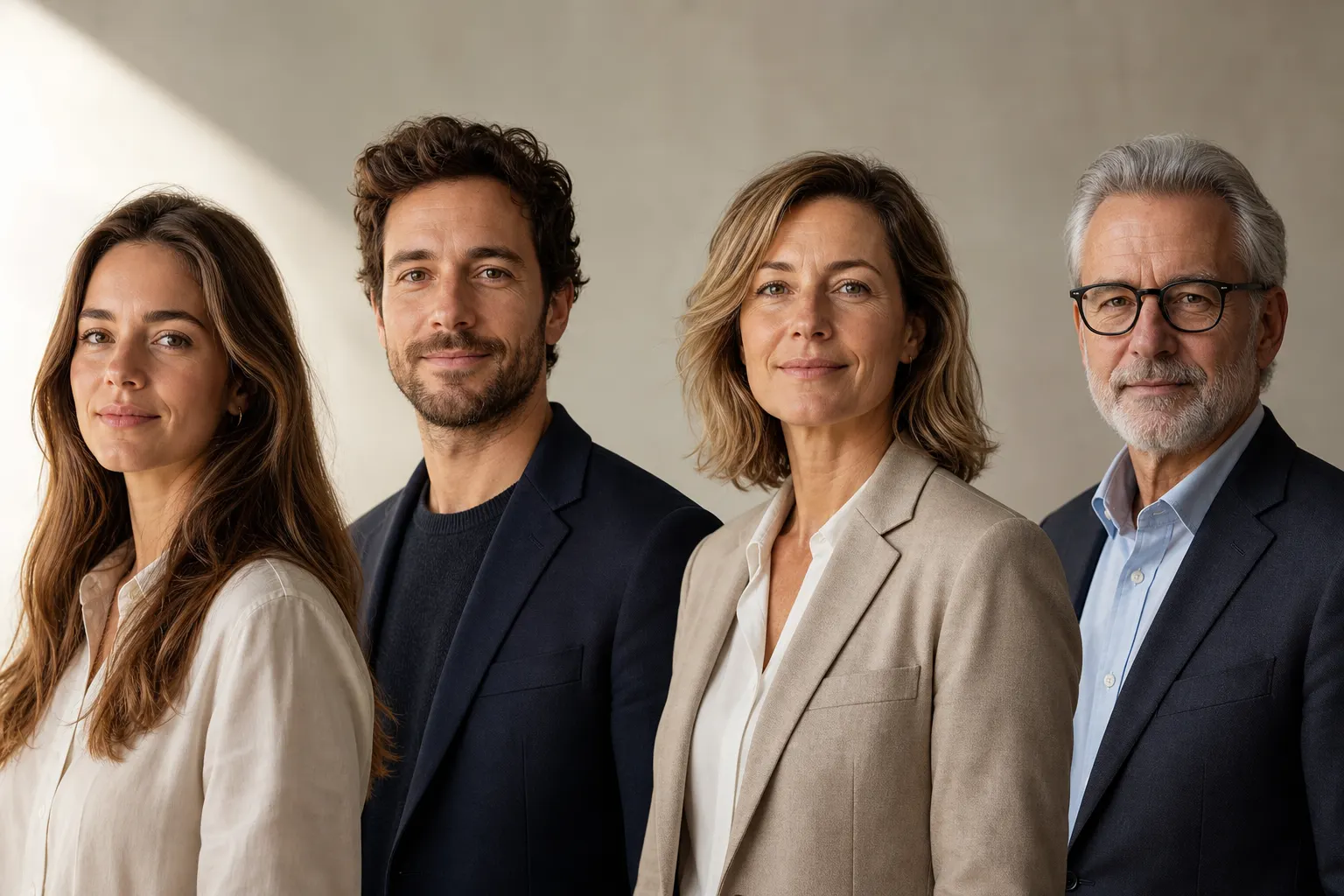
A LinkedIn photo doesn't read the same way whether you're 28 or 54. The framing, outfit, light, smile, image grain — everything sends a generational signal even before signalling a function. At 28, you can afford a very lifestyle photo that would read as scatteredness at 52. At 54, a very formal photo can reinforce an age bias you were precisely trying to neutralise.
This article won't tell you to hide your age. The goal is to give you the codes per decade so your photo signals what you want to signal: an experience level, a posture, a professional intent. Without youth-ism. Without falling into over-ageing either.
Age bias is real on LinkedIn
Before talking visual codes, let's lay the facts. In France, 9 senior executives out of 10 believe their age disadvantages them in their job search. It's today the first cause of workplace discrimination, ahead of gender and origin. On long-term unemployment, executives 50 and over are 26% to have been unemployed for 12 months or more, 9 points more than the average of seeking executives, per the Apec study on senior executives.
A photo won't solve this structural problem. But it's the first visual signal your profile sends. When a recruiter scrolls 200 profiles in an hour, your avatar passes at 80×80 pixels. At this size, it's not your wrinkles that show, it's your energy, framing, background colour, light quality. Those markers are age-neutral. They can therefore be used at any age without cheating.

25-30: showing freshness without looking like a student
At 28, the risk isn't looking old. It's looking not yet pro. Many junior profiles still drag a cropped party photo or a holiday-format selfie. It sends a "I just arrived in the work world" signal, even when the title says "Senior project manager, 5 years experience".
Codes to favour in this bracket:
- Tight framing but including the shoulders, not just the face. Seeing the shoulders signals posture, physical presence, and immediately neutralises the ID-photo side.
- Soft natural light, no direct flash, no neon. North-window light at 2 PM remains unbeatable.
- Outfit consistent with the target sector, not the sector you come from. If you target consulting or finance, plain shirt. If you target tech or creative, fine knit or quality plain tee.
- Frank but closed smile, not the teeth-bared smile of a class portrait. The idea isn't to look joyful, it's to look confident.
The most common error at this age: the photo taken by a friend with the iPhone at the restaurant, cropped hastily. The photo you keep "because you look good on it". The criterion isn't "do you look good on it", it's "does it tell your trade". If your trade isn't seen in the frame, the face alone won't be enough.
30-40: the decade of asserted legitimacy
It's the bracket where codes stabilise. At 35, you have 10 years experience, you target a manager role or you're already one. Your photo must signal this transition between operational and responsible. Too juvenile, your ability to lead is doubted. Too senior, you close the door to roles still demanding field energy.
Useful trade-offs at this decade:
- Open or closed smile: it's the most impactful choice. Open smile = approachability, horizontal leadership, contact trades. Closed smile = calm authority, leadership, expertise. Test both and see which best serves your goal.
- Slightly more contrasted background than what you'd put at 28. Gradient grey, blurred office, possibly black if you target expertise.
- Outfit that owns the status: jacket without tie, clean shirt, fine wool knit. The outfit shouldn't pull upward (over-formal = attempt signal), nor downward (sweatshirt = sloppiness signal).
- Eye-level framing, never low angle. Low angle crushes and gives an arrogant air, which doesn't play in your favour between 30 and 40.
At 35, the good test: your photo must be able to illustrate both an operational mission and an executive committee.
40-50: between expertise and modernity
It's the trap bracket. Too many profiles at 45 have a photo dating from 2014. The strict suit and tie, the rigid posture, the old corporate navy blue background. These codes were legitimate 10 years ago. Today they return an image of inertia, while you're probably in full mastery of your trade.
The challenge at 45: prove you're up to date without overplaying modernity. Over-play (white tee and suit jacket, ultra-bright smile) is immediately seen as compensation.
What works at this bracket:
- Current but clean outfit: shirt without tie in 80% of sectors, fine knit for tech and creative. The jacket remains relevant for finance and consulting, but contemporary cut, not the 2010 suit jacket.
- Hair tidied without resorting to aggressive colouring. Owned greying temples have become a positive senior-expert marker, not tired senior. Provided the photo is well lit.
- Composed expression, frank and direct gaze, without over-playing warmth. At 45, over-smiling looks fragile, not approachable.
- Slightly warm neutral background (beige, taupe-grey, very light brown) rather than pure white. Pure white hardens wrinkles and accentuates perceived age. Slightly warm light softens without cheating.

50+: neutralising bias without denying age
At 50 and over, two symmetric traps close in. First trap: the "old school" photo that piles on seniority (strict suit, frozen posture, dark background). It confirms all the prejudices of unadaptability that Apec documented: lack of adaptability, difficulties with modern tools, short time horizon. Second trap: the photo trying to look 40. Wrinkle smoothing, forced smile, too-young outfit. This counter-effect is seen immediately and triggers another bias: suspicion.
The middle line exists and works:
- Own visible age markers (wrinkles, white hair, glasses) without highlighting them. Soft side light softens without erasing.
- Bodily energy: straight shoulders, direct gaze, slight natural asymmetry (never the static pose of the official portrait). That's what sets you apart from the "retired civil servant" photo.
- Outfit in tune with the times without overplaying. A well-cut contemporary shirt, a fine wool knit, a contemporary jacket. Absolutely avoid the tie except in strict sector (notary, private banking).
- Light bright background rather than dark. The dark background, which works for the CEO portrait at 40, hardens the face at 55 and accentuates the frozen-seniority effect.
At 55 in career change, a special case deserves mention. If you pivot to a new sector, your photo must signal this intentionality. The simple fact of having a new, bright, up-to-date photo already sends a strong signal that you're in movement. The 2018 photo cropped at the edges, even if technically good, says the opposite.
Retouching, AI and perceived age: the ethical line
The retouching question is simpler than it looks. Three retouching levels exist and only one is problematic.
| Level | Examples | Verdict |
|---|---|---|
| Technical | Exposure, white balance, crop, background cleanup | Acceptable at any age |
| Light cosmetic | Small temporary blemishes, occasional yellowed tooth | Acceptable, equivalent to makeup |
| Identity | Massive wrinkle smoothing, added smile, redrawn jaw, 10 years younger | Problematic |
The ethical line: your photo must resemble the person your interlocutor will meet on video or in person. If you put a 38-year-old you when you're 52, the gap at the first call will pay in lost credibility. The "youthened" photo benefit is short term, the cost is long term.
AI-side, the topic is more nuanced. An AI regenerating a photo from your selfie can produce two results: (1) a version of yourself at your current age but with better framing, better light, better outfit, which is legitimate, or (2) a "youthened" version that makes you lose 10 years, which joins problematic identity retouching.
SelfiePro lets you quickly test several styles, backgrounds and framings while keeping your current face. Honesty: AI can sometimes unintentionally smooth skin texture, slightly rejuvenating the render. It's a side effect, not the goal. If you want a faithful render at your age, choosing a "natural" or "documentary" style rather than a "studio glossy" gives a more authentic result.
If your current photo makes you look older, frozen or out of sync with your actual level, you can upload a photo and generate a professional portrait with a sober brief: natural light, age acknowledged, current outfit, bright background, no identity-changing retouching.
What photo feedback shouldn't say
When you ask for opinion on your photo (a friend, a coach, a recruiter), some feedback is useful and others betray a bias.
Useful feedback:
- "The framing is too wide, we lose your face at 80 px."
- "The light comes from below, it hardens your expression."
- "The background eats your outfit, the silhouette no longer reads."
- "The smile doesn't seem natural, try a more composed photo."
Feedback that betrays an age bias:
- "You look too old on this photo." (implication: hide your age)
- "You should retouch the wrinkles." (implication: you're no longer presentable)
- "Put a photo of when you were younger." (implication: your current age is a defect)
If you receive this type of feedback, the problem isn't your photo, it's the bias of the person looking. The right response is to adjust the technical markers (light, framing, background, outfit) that make you seem in your place at any age, not hide the decade you're in.
The final criterion, independent of age
At all decades, the question to ask before publishing your photo is the same: does this image show a person in professional movement, or a person frozen at a moment of the past? A "moving" photo can perfectly show a 55-year-old face. A "frozen" photo can equally well show a 30-year-old face. Freshness isn't about biological age, it's about visual signals.
Signals that say "moving": clean and recent light, contemporary background, current outfit, lively posture, slight natural asymmetry.
Signals that say "frozen": old grain (photo taken with a pre-2018 camera), dated outfit, rigid posture, cliché corporate background, overplayed photo-session smile.
At any age, the good reflex is to replace a photo over 3 years old, regardless of its aesthetic value. For recruiters, partners or clients discovering you, your photo is a market-presence signal. A dated photo is a withdrawal signal.
FAQ
Should you look younger on LinkedIn after 50?
No. The goal is not to look younger, but more current. Clear light, contemporary clothing and sharp framing neutralize age bias better than artificial face smoothing.
How often should you update a LinkedIn photo?
Every 2 to 3 years is a useful rhythm, or earlier if your role, sector, hairstyle, beard, glasses or seniority level has clearly changed.
Can an AI photo correct age bias?
It can correct light, background, outfit and framing. It should not artificially rejuvenate you. The practical limit is simple: you must look like the person people will meet on video.
Should grey hair and wrinkles stay visible?
Yes, if the rest of the image feels current. Age markers are not the problem by themselves; the negative signal usually comes from harsh light, dated clothing or an old-fashioned background.
Sources
Read next.
photo-developpeur-freelance
Freelance developer photo: look credible on GitHub and LinkedIn
GitHub, LinkedIn, portfolio: the right freelance developer photo should signal reliability, clarity, and collaboration, not a staged tech persona.
creative-freelance-photo
Creative freelance photo: signalling your style
AD, motion designer, graphic designer: your photo must show your style without falling into the creative cliché. Method and concrete examples by trade.
interior-designer
Interior designer photo: show the method, not just the decor
Portfolio, LinkedIn, client proposal: how interior architects and designers can choose a photo that builds trust without looking like a furniture ad.