smartphone-photo · 12 min
Pro photo on smartphone at home: the tutorial that works
Without DSLR, without studio, without budget: 7 steps to take a professional smartphone photo at home, with living-room light and a recent iPhone.
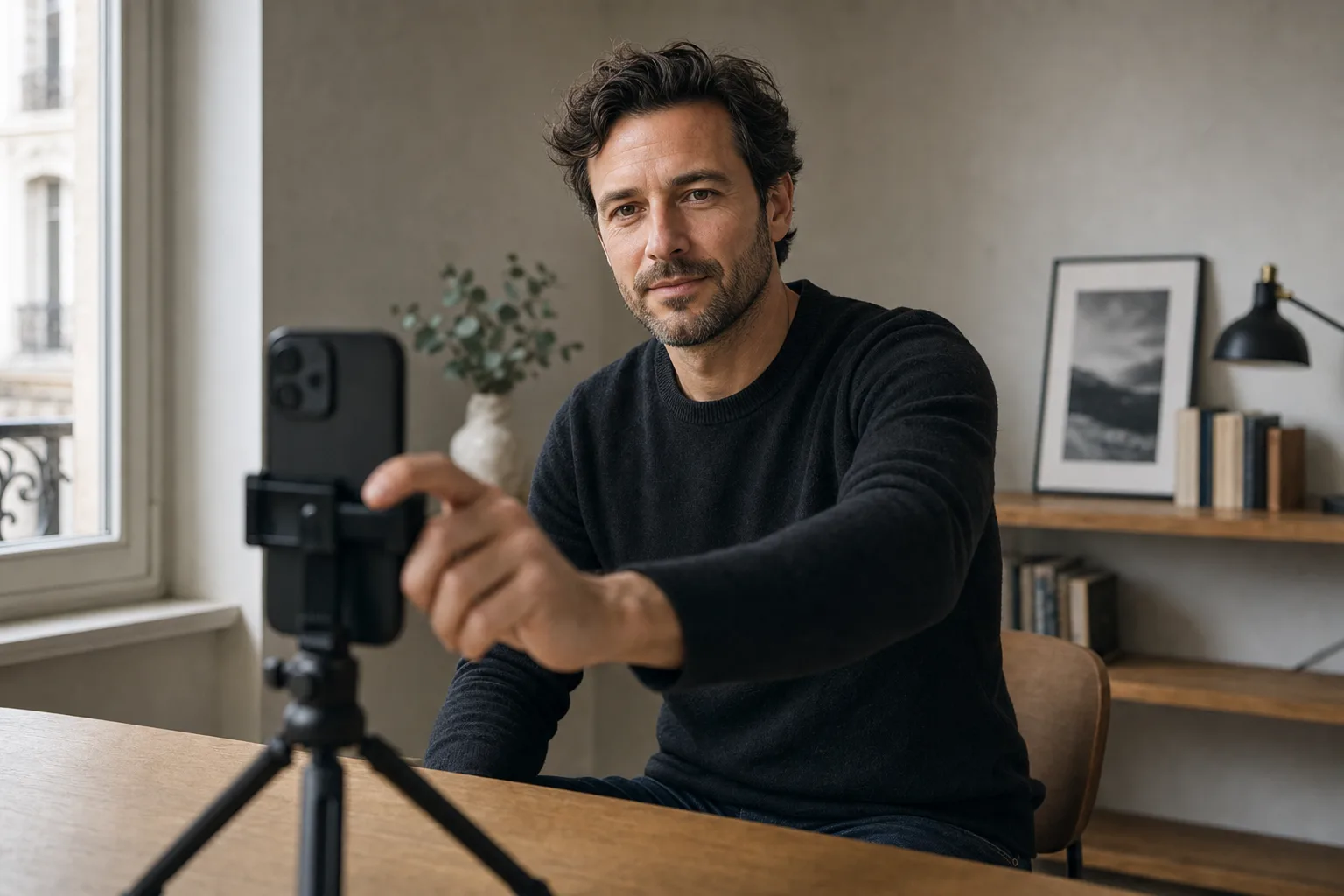
The DSLR at the photographer costs between €150 and €800 per session in Paris. The smartphone you have in your pocket captures 12 megapixels, RAW files on recent models, and opens at f/1.6 on some iPhone Pros. The difference no longer plays on the sensor. It plays on light, distance and settings.
I tested over two May 2026 weekends three different setups in my living room, with an iPhone 15 Pro and a white sheet. Verdict: the result is usable for LinkedIn and CV. Not for a magazine cover. Here's the protocol, budget tiers, and the moments when this setup will never be enough.
Why a recent smartphone is enough (in theory)
An iPhone 13 Pro or newer, a Samsung Galaxy S21 or newer, a Pixel 6 Pro or newer: these devices all embed a decent software portrait mode, a main wide-angle sensor of 24 to 28mm equivalent, and the ability to record in RAW (ProRAW on Apple, RAW expert on Samsung).
Portrait mode simulates the depth of field of a 50mm f/1.8 lens by depth calculation. It's imperfect on fine hair or glasses, but it passes on a 400 × 400 px profile photo.
Where the smartphone loses to the DSLR:
- In low light (digital noise quickly climbs above ISO 800)
- On shadow/light transition nuances (reduced dynamic range)
- On skin texture (automatic processing smooths too much by default)
- On real depth of field (a true 85mm f/1.4 remains unbeatable)
For LinkedIn, CV, Malt, Doctolib, Welcome to the Jungle: largely enough. For an art portfolio or a press kit: no.
€0 setup: north window and sheet
The "nothing to buy" tier. You make do with what you already have at home.
Gear:
- Recent smartphone (iPhone 12 or newer, Samsung S20 or newer, Pixel 6 or newer)
- A plain white, beige or grey sheet (no pattern, no marked creases)
- 3 to 5 books to prop the phone
- A north or east-facing window (soft morning light also works on a south window when it's overcast)
- A timer or voice trigger
Step-by-step protocol:
- Choose a room with a large window. Close other windows' curtains to avoid a second light source creating stray shadows.
- Stretch the sheet against a wall or door, about 1.5 m from the window. The sheet must be at least 1 m behind you (otherwise you see texture and creases).
- Place your smartphone 1.2 or 1.5 m from you, at eye height. Set it on a stack of books or furniture. The phone must be perfectly horizontal (the built-in level of photo mode helps).
- Position yourself in profile to the window, gaze turned to the lens. Light illuminates one side of the face and leaves the other in a soft shadow. If the shadow is too marked, turn a bit more toward the window.
- Portrait mode on. Tap your face on screen to fix focus and exposure. On iPhone, slide the exposure cursor down by 0.3 to 0.7 stop: portrait mode often over-exposes light skin.
- Activate 5-second timer. Run 6 to 10 shots, slightly changing head tilt between each.
- Strict triage: keep 2 or 3 max.
Honest €0 setup limit: your light depends 100% on weather and your window orientation. On a south-facing window at 2 PM in June, you won't make anything good. On a north window in April at 11 AM, you do the job.
€30 setup: 5-in-1 reflector and tripod
The "smart investment" tier. 30 euros that really change the render.
Gear to buy:
- 5-in-1 foldable photo reflector, 80 cm: €15 to €20 on Amazon or Decathlon
- 1.5 m smartphone tripod with ball head: €12 to €18 (JOBY GorillaPod or equivalent)
- Optional: €5 Bluetooth shutter (otherwise timer)
What it concretely changes:
The 5-in-1 reflector includes white, silver, gold, black faces and a diffuser. The white face placed 1 m from the face, on the opposite side of the window, fills the hard shadows. You go from a face half in shadow to a uniformly lit face while keeping the modelling. It's the most important step of the tutorial.
The tripod lets you frame precisely instead of stacking books. You take clean series, judge the result on screen at eye level, correct, redo. The arm extended dies in two minutes, the tripod holds the whole session.
Protocol with reflector:
- Same setup as previous tier: sheet, window, tripod at 1.5 m.
- Place the reflector (white face) 1 m from your face, opposite side of the window, slightly below your chin. If alone, prop it against a chair.
- For tanned or dark skin: prefer the reflector's gold face, more flattering in colour temperature.
- For a more contrasted "dark corporate" look: switch to the black face or remove the reflector. Marked shadow gives an authority and elegance signal, useful for executives.
- If window light is too harsh (direct sun), stretch the diffuser between the window and you. Light becomes soft instantly.
It's at this tier you get an honest quality result in LinkedIn photo. Not the Studio Harcourt render, but largely presentable for 95% of pro uses.
€100 setup: LED panel and foldable backdrop
The "I no longer depend on weather" tier. €100 to free yourself from natural constraints.
Gear to buy:
- Bicolour LED panel 30 × 30 cm (Neewer, Andoer, Godox LED 36): €40 to €60
- 2 m studio stand for the panel: €15 to €25
- 1.5 × 2 m grey or anthracite foldable photo backdrop: €25 to €35
- Reflector from previous tier reused
What you gain:
You shoot at 10 PM in winter, in grey weather, with the same light as noon in summer. Colour temperature is adjustable (3200K warm, 5600K neutral, 5600K-6500K cold), you choose your tone. The panel oriented at 45 degrees from the face, at 1.5 m, recreates the perfect north-window light.
The foldable backdrop replaces your wrinkling sheet. Gradient grey backdrops (Lastolite Ezycare style) absorb little light and give an immediate corporate render. You change colour in 30 seconds by flipping the backdrop.
Protocol with LED:
- Place the stand at 1.5 m from you, panel oriented 45 degrees toward your face, eye level.
- Set temperature to 5200K (equivalent neutral daylight).
- Set intensity to max and lower until your smartphone shows ISO 200 maximum.
- White reflector at 1 m, opposite side.
- Optional: a second low-intensity LED source behind you, oriented toward the backdrop, to create a slight subject/background separation.
At this tier, you do a complete LinkedIn session in 20 minutes, you change outfit, you change background, you change pose. It's what express studios sell at €60-80 per session, except you did it from your living room.
Going from zero to thirty euros changes everything. Going from thirty to one hundred euros changes comfort, not the final result.
Camera settings (HEIF, RAW, ProRAW)
Three modes coexist on recent smartphones. They don't serve the same use.
HEIF (default on iPhone)
- Compressed format, light files (2-3 MB)
- Good for direct use without retouch
- Not convertible to RAW afterwards
- Recommended if you publish the result as is
RAW (Samsung Expert RAW, various Android)
- Sensor records all data without processing
- Heavy files (15-25 MB)
- Requires Lightroom Mobile or equivalent to develop
- Recommended if you know how to retouch
ProRAW (iPhone 12 Pro and newer, iPhone 13 Pro and newer)
- Hybrid between HEIF and pure RAW
- Keeps Apple's computational treatments (HDR, Night mode) but in raw data
- 15-20 MB files
- Recommended for retouching while keeping scene processing
My default settings for home portraits:
- Format: ProRAW on iPhone Pro, RAW expert on Samsung
- Mode: portrait
- Bokeh level: f/4 (not f/1.4 — too artificial on hair)
- Photographic Styles (iPhone): Standard or Rich, never Vibrant (over-saturates)
- Live Photos: disabled (otherwise double weight)
Framing, posture, delayed shutter
Framing golden rule: eyes in the upper third of the image. Not centred. It's the basis of composition, and it stays valid in profile photo cropped to square (LinkedIn 400×400) or banner (1584×396).
Smartphone-face distance: 1.2 to 1.5 m for a chest framing, 0.8 to 1.2 m for a tight head-shoulders framing. Closer = distortion (elongated nose, crushed ears). Further = loss of eye detail.
Posture: shoulders at about 30 degrees angle from the lens, never frontal. Frontal gaze on angled shoulders gives the strongest confidence signal in pro portrait.
The trick that changes everything for the smile: before triggering, exhale gently through the mouth, relax jaws, and think of a precise memory (not "smile" in the air). A Duchenne smile (which crinkles the eyes) can't be commanded, it's triggered by emotion. Set your smartphone, set a 10-second timer, run the series in burst, and sort after.
Delayed shutter vs Bluetooth: the 5 or 10-second timer forces you to reposition between each shot, which creates natural variations in expression. The Bluetooth shutter lets you keep a stable posture and vary subtly. For identical series, Bluetooth. For variety, timer.
Minimal retouch: Lightroom mobile in 3 minutes
No need for Photoshop. The Lightroom Mobile app (free, premium version €5 per month) is enough. Here's the preset I apply on all my home portraits.
Basic adjustments (in order):
- Exposure: +0.2 to +0.5 if face is slightly dark
- Contrast: +5 maximum (no more, otherwise hard skin)
- Highlights: -20 to -30 (recovers reflections on forehead and nose)
- Shadows: +20 to +30 (open dark zones)
- Whites: -10 to 0
- Blacks: -5 to +5 (to taste)
Colour:
- Vibrance: +5 to +10
- Saturation: 0 (never positive on a pro portrait)
- Temperature: neutral, or slightly warm (+200K) if pale skin
Detail:
- Texture: -5 to 0 (lightly smooths skin without plastic effect)
- Clarity: 0 (negative makes blur, positive marks wrinkles)
- Sharpness: default value (40) is enough
Final crop:
- LinkedIn square 1:1: eyes in upper third
- CV 4:5 portrait: shoulders visible, 10% margin above the head
- 16:9 banner: light zoom, larger margin
Export:
- JPEG quality 90%
- Long resolution 2000 px for LinkedIn, 1500 px for CV
- No PNG export (3× heavier, no interest in portraiture)
3 minutes per photo, no more. If you spend 20 minutes, you over-retouch.
When the smartphone will never be enough
The honesty: there are 4 cases where your home setup will fail, even at the €100 tier.
1. Press kit photo for major media intervention Newsrooms ask for 300 dpi at 30 cm minimum (3500 × 4500 px). Your smartphone's RAW doesn't hold up at enlargement. Classic studio mandatory.
2. Executive portrait / magazine cover Skin texture, shadow nuance and real depth of field of an 85mm f/1.4 can't be simulated. If you play at this level, pay the photographer.
3. When you physically don't have good natural light AND no space Basement studio, windowless office, ground-floor north-facing apartment: even with €100 of LED, the room's angle constrains the shot too much.
4. When you need 5 different looks in one hour Where the smartphone loses: changing outfit, background, light takes time. A photographer in express session does it in 45 minutes. AI does it in 30 seconds per variation.
It's this last case that made me move to something else for quick iterations: testing 10 different backgrounds keeping the same face takes a whole afternoon in home setup. With an AI generator based on a selfie, it's a half-hour affair. Not a matter of absolute quality, just velocity.
Prêt à essayer ?
Compare my home selfie to an AI version →AI doesn't replace the smartphone tutorial, it complements it. You take your best selfie at the €30 tier, you test AI variations to see which styles really suit you, then you redo a real home session on the matching style. It's the most efficient combo in 2026 if you want to stay under €50 while keeping a pro render.
Sources and resources:
- Sim Sublime, smartphone portrait: settings — portrait mode guide, distance, light
- Luminal Park, smartphone photo and light tips — light management on mobile
Read next.
photo-developpeur-freelance
Freelance developer photo: look credible on GitHub and LinkedIn
GitHub, LinkedIn, portfolio: the right freelance developer photo should signal reliability, clarity, and collaboration, not a staged tech persona.
creative-freelance-photo
Creative freelance photo: signalling your style
AD, motion designer, graphic designer: your photo must show your style without falling into the creative cliché. Method and concrete examples by trade.
interior-designer
Interior designer photo: show the method, not just the decor
Portfolio, LinkedIn, client proposal: how interior architects and designers can choose a photo that builds trust without looking like a furniture ad.